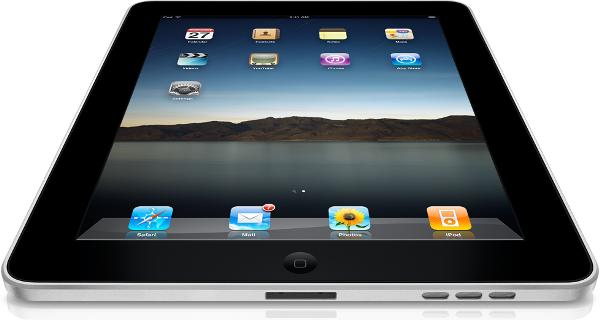
And no, neither of them is an iPad -- although I'll mention that too.
The group I work with at school recently purchased a couple of tablets – the Asus T91 and Lenovo S10-3t – for use in the field. Being the resident techie, I volunteered to evaluate the two units and put them through their paces and figure out which best served our needs. To sum up my findings, the Asus T91 is a limited but brilliant machine – possibly the best tablet PC I’ve used to date. The Lenovo S10-3t is a definite no-buy.
Read more below.
The Asus T91:
 This is the smallest and lightest netbook that I’ve seen to date. It has an 8.9-inch screen and correspondingly small keyboard (both the same size as my Asus 901). That also means it has an incredibly small footprint and weighs less than 1 kg (2.1 pounds). It is also significantly slimmer than my 901 thanks to no battery bulge.
The T91 feels slow and underpowered. The performance improved somewhat after replacing the 1 GB of RAM with the 2 GB chip from my Asus 901, but is still quite sluggish. It’s perfectly fine for running most applications, but switching between them or running many programs simultaneously will slow the system down considerably.
With Wi-Fi on, I’m able to get around 4 to 5 hours out of the unit. With Wi-Fi off, power management set to low levels, and the screen dimmed to about 33%, I was able to squeeze out close to 7 hours out of the unit.
What really makes the T91 shine is its use as “digital paper.” James Kendrick calls inking the best little-known technology of the decade and I have to agree. It’s a shame Microsoft never developed this further and it is something I wish Apple incorporated into the iPad. (I understand why Apple didn’t, but using the T91 really makes me wish the iPad had an active digitizer and a stylus, as well as capacitive touch.) Maybe Microsoft will get it right with the Courier?
Below is an example of some notes I took during a recent seminar showing what you can do with digital ink:

A limitation of the T91 in regard to inking is that, unlike my Lenovo X61 Tablet, the T91 uses a touch screen. What this means is that I have to keep my hand off of the screen as I write. It’s small enough that after using it about 30 minutes, I learned to rest my hand on the bezel as I wrote. An inconvenience, but one I was able to adapt to.
What makes the T91 such a great device is its light weight and (with judicious use of power management) the ability to go nearly all day without recharging. It’s the first computer that I’ve used that would be a serious contender for replacing paper for me for note-taking. The ability to change the color of ink and rearrange text is wonderful in use. My Thinkpad weighs twice and much and only gets about an hour or so of batter life making it impractical in this regard.
Other things that make the T91 great include the fact it has no fan or hard drive (it has 32 GB of flash storage instead and two SD slots for memory expansion). This means it is completely silent and has no moving parts, and expect that this makes it more rugged than most netbooks.
Comparing the T91 to the iPad:
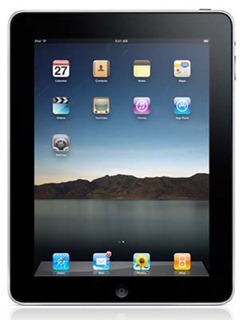 First, I will say that these are two entirely different products and each will do things the other will not do. Overall, the T91 is probably a more robust substitute for my ThinkPad than the iPad would be, being able to do most anything the ThinkPad can do – just with a smaller screen and keyboard and a much slower processor.
Advantages of the T91 over the iPad:
- Running any and all Windows-based software. For me, programs I routinely run include:
- NetLogo.
- Stata.
- Python.
- Microsoft Office.
- Windows Live Writer (blogging software).
- Built-in VGA port for making PowerPoint presentations (the iPad has an optional VGA dongle you can buy).
- Two(!) built-in SD card slots.
- Two USB ports.
- A stylus that is much more precise than the Pogo Stylus on the iPhone or iPad. This allows me to write nearly as finely as I would on paper, including writing out and solving complex mathematical formulas.
- Multitasking (although this advantage will go away with multitasking coming to the iPad this fall).
- Webcam.
- Flash.
- A tactile keyboard. (My playing with an iPad makes me think this is less critical for short periods of writing than I originally thought. And you can pair the iPad with a Bluetooth keyboard.)
Advantages of the iPad over the T91:
- Magic!
- It runs (non-Flash) video much, much better than the T91.
- Brilliant display.
- 3G cellular connection (on the 3G iPad).
- GPS (on the 3G iPad).
- eReader software (both iBooks and Kindle).
- Lighter weight (1.5 vs. 2.1 pounds).
- Much, much thinner.
- A larger, higher-resolution screen.
- Much, much faster/more responsive to use.
- Double(?) the battery life (10 hours vs. 5 with wi-fi on).
- A fantastic touch interface rather than one that is often slow and unresponsive.
- Thousands of Apps that are only going to get better and make the iPad more useful over time.
If you can’t tell, I like both machines. Each for very different reasons.
Below is how the T91 compares to the iPad in size. Notice how much of a difference there is when it comes to thickness.


What About the Lenovo S10-3t?
 What can I say? After placing this next to the Asus, there was no comparison -- universally agreed to by everyone in my office. The Lenovo was larger, came with Windows 7 Starter instead of Home Premium (which meant no special tablet features); was much, much heavier, thicker, and bulkier than the T91; and had no stylus. The few touch-specific pieces of software it had, such as a simulated 3D environment that let you move photos around, felt more like a science fair project than a legitimate business tool. Dimensions on which the Lenovo beat out the Asus when it comes to specs include:
- Larger hard drive (250 GB instead of 32 GB).
- Faster processor (1.66 GHz vs. 1.33).
- Longer battery life (8 hours vs. 5).
- Larger screen (10.1” vs. 8.9”).
- Bigger keyboard (but I find the Asus isn’t too bad).
Besides these characteristics, we all liked the Asus T91 much, much better. It is smaller, lighter (2.1 vs. 3.3 pounds), has a stylus, responds equally well, and seems better built for a touch. Especially with no stylus and crippled tablet features with Windows 7 Starter, I cannot recommend the Lenovo on any dimension. (To be fair, James Kendrick has a different opinion. Then again, he tested a model with Windows 7 Home Premium.)
BOTTOM LINE:
If you’re looking for a tablet/netbook I recommend you strongly consider the Asus T91.
If you’re looking for something larger than the T91, you might want to look into the Asus T101 instead. (It’s faster, has a larger hard driver, bigger keyboard and monitor, bigger, and heavier (2.8 vs. 2.1 pounds) than the T91.)
Avoid the Lenovo. Whatever netbook tablet you get, make sure to get a model with Windows 7 Home Premium and at least 2 GB of RAM.
Of course, if running Windows programs or inking doesn’t matter so much to you, you might want to consider looking at the iPad too.